
FileDrop Google Workspace Add-on
The Best File Management Tool for Google Sheets and Drive
We make your work at least 4x Faster than manual processes - we promise.
FileDrop is probably the best way to drag and drop or insert files in Google Sheets, Docs and Slides.
FileDrop will make your work at least 4x Faster than manual processes – we promise.
With its drag-and-drop interface and multiple options for batch file insertion, it can save hours at a time.
With our 300,000 installs and over 3 years in development, we offer the most complete solution for users who need to manage files and images in Google Sheets and Google Drive.
Available for Google Sheets, Docs, and Slides.


- 380.000+ Installs

Insert Images In Google Sheets Cells
With FileDrop is easier than ever to insert images in cells.
Just select from the option panel the size of the image in cell and you are ready to start.
You can drag and drop your images in the upload area. Or you can insert the images you already have in your Google Drive folders.
Our Image Kit sidebar can help you insert thousands of images at once.
Insert Images Comparison
New File Uploader
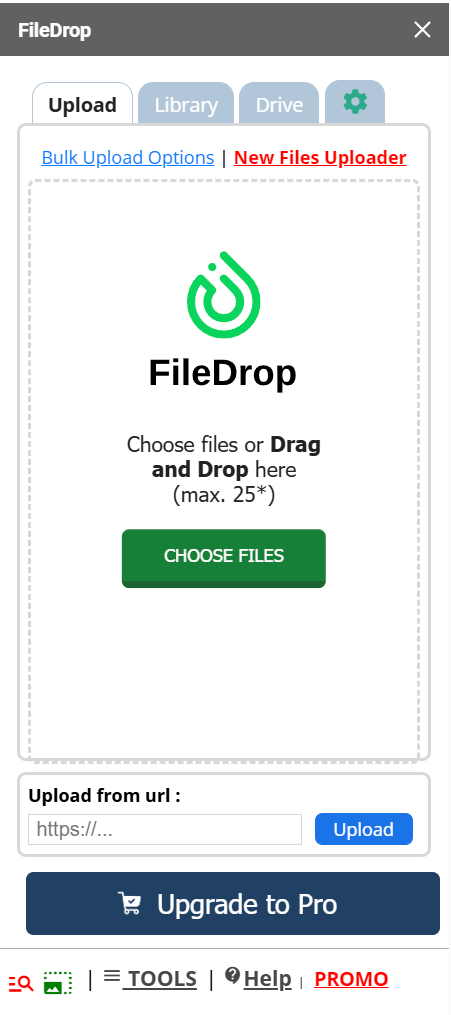
Drag and drop files
FileDrop has an easy to use interface to make adding files to Google Sheets a breeze.
Add files from computer
Click and browse to add files from your computer with ease.
File History
With File Library you can view the recent files you added to your Drive and use them again.
Add files from Drive
Add files you have in your Google Drive. You don't need to upload them again.
Automatic file linking
The files are linked automatically to the source file in Drive for easy access.
Delete easily
If you uploaded the wrong file, you can delete it from the upload area.
Extract Table From PDF/Image
You can extract table data from PDFs and image files and insert it into your Google Docs or Sheets.
Add file from link
Add your file link and FileDrop will automatically upload the file to Drive and add it to your Sheet or Docs.
Search files in Drive
Search for the file you need in your recent history or your entire Google Drive.
Image to Text
Extract text from images online in Google Docs™ or Google Sheets™. Bulk OCR text extraction available.
Translate OCR text
After extracting the text from an image or pdf you can translate the text from or to any language.
PDF to TEXT
Extract text from PDF in Google Docs™ or Google Sheets™. Bulk OCR text extraction available.
Insert Images in Sheets
Image to cell or image over cell can be easily achived in your spreadsheet.
Multi-select
Select and insert only the files you need to insert in cells.
List all files from Google Drive folders
With this function you can select any folder from your Google Drive and list all the files in your Google Sheet.
Insert Multiple Links In A Cell
Easily add multiple links in a Google Sheet cell from your Drive or upload from your computer.
FileDrop Add-on Pricing
The Light plan gives you access only to our Add-on and free platform features.
For access to the entire FileDrop suite, see our regular plans.
FileDrop Free
Sign up for our free plan, credits are renewed monthly. No access to other sidebars
- 50 Uploads per month
- No access to other sidebars
- Access Free Platform tools
FileDrop Lite Monthly
Sign up for our Monthly plan, access only to the FileDrop Add-on and free platform features.
- Unlimited Uploads
- Access all Sidebars
- Access Free Platform tools
FileDrop Lite Yearly
Sign up for our Yearly plan to save $60, access only the FileDrop Add-on and free platform features.
- Unlimited Uploads
- Access all Sidebars
- Access Free Platform tools

Drag and Drop files
Insert or attach any file in your spreadsheet cells.
Files uploaded with FileDrop are saved to your Google Drive and are automatically added with the name in your spreadsheet cell. Then it’s linked to the file itself for easy access.
- Insert and attach files to Google Sheets cells
- Upload one file or do a bulk upload
- File history for easy access
- Insert files that are already in your Google Drive
Add already uploaded files
Add files from your Google Drive
If you have files already uploaded in your Drive you can add them easily with the Drive tab. This works as a file manager for your Google Drive.
You can even search in your Drive for the files you need to add to your Sheets, Docs or Slides.
Select and insert multiple files at once or even bulk insert is available.


Add Images in BUlk
Insert Images In Google Sheets Cells
With FileDrop is easier than ever to insert images in cells.
Just select from the option panel the size of the image in cell and you are ready to start.
You can drag and drop your images in the upload area. Or you can insert the images you already have in your Google Drive folders.
Our Image Kit sidebar can help you insert thousands of images at once.
file management
Google Drive File Management
The Folder Tools and Plus tools are FileDrop sidebars that help you do bulk operations in your Google Drive.
Copy Files and Folders:
Effortlessly copy files and folders within your drive or shared drives, making data duplication and backup a breeze.
Duplicate folder structure:
Ever wanted the same folder hierarchy but with different data? Duplicate any folder structure with a single click.
Folder Insights:
Get a comprehensive report of your folders. See who has access to your files, and if needed, modify permissions seamlessly.
Bulk Sharing Capabilities:
Share files en masse with other users. Whether you want to grant view-only access or full editing rights, do it in bulk and save time.


Google Workspace Add-on Features and Limits
The limits are per version Sheets, Docs and Slides.
| Features | Free | Lite | Pro | Business+ and Executive |
|---|---|---|---|---|
| Uploads per month | 50 | Unlimited | Unlimited | Unlimited |
| Upload one file at a time | Yes | Yes | Yes | Yes |
| Upload multiple files | 4 files | 25 files | 25 files | 25 files |
| File size | 4Mb | 24Mb | 24Mb | 24Mb |
| Add file from computer | Yes | Yes | Yes | Yes |
| Insert images in cells | Yes | Yes | Yes | Yes |
| Insert images over cells | Yes | Yes | Yes | Yes |
| Batch insert files and images | - | Yes | Yes | Yes |
| Select any Drive folder to save files | - | Yes | Yes | Yes |
| Insert files from Drive folders | - | Yes | Yes | Yes |
| OCR Extract text from PDF/Images | 15 credits/m | Unlimited | Unlimited | Unlimited |
| Save Sheet selection as PNG | Limited | Unlimited | Unlimited | Unlimited |
| File history | - | Yes | Yes | Yes |
| Search files in Drive & history | - | Yes | Yes | Yes |
| Access Shared Drives for collaboration | - | Yes | Yes | Yes |
| Folder Tools | - | Yes | Yes | Yes |
| Add stock images from Pexels (Docs and Slides) | - | Yes | Yes | Yes |
| User provisioning and deprovisioning | - | Yes | Yes | Yes |
| Download Manager | - | Yes | Yes | Yes |
| Rename | Limited | PRO Tool | PRO Tool | PRO Tool |
| Embed images in cells | - | Yes | Yes | Yes |
| List Images in Sheets | - | Yes | Yes | Yes |
| Download Images from URL | - | Yes | Yes | Yes |
| Bulk OCR | - | 500 files/month | 1000 files/month | 2000 files/month |
| Copy files in bulk | - | Yes | Yes | Yes |
| Folder Report | - | Yes | Yes | Yes |
| Find Duplicates in Folders | - | Yes | Yes | Yes |
| Bulk Create Folders in Drive | - | Yes | Yes | Yes |
| Folder Monitor in Drive | - | Yes | Yes | Yes |
| Photo Exif Data Extraction | - | Yes | Yes | Yes |
| Access to customer support | Email + Chat | Email + Chat | Email + Chat + Video Call |
Don't just take our word for it, see testimonials
As a People operations associate on an HR team, this extension has been a lifesaver when it comes to having to implement new software systems for my organization. For example- in a new system, have you ever been asked to rename HUNDREDS of files so that your new software company can upload them via mapping? This tool helped me save a ton of time when we recently needed to upload historical reviews into a new performance system. Instead of manually having to re-name files, I could export them into google sheet, do some x-look up magic, and rename them within minutes. This has been such a game changer, can't sing enough positive praises!
Jane H
HR
Thank you for your "silly add-on". I wanted to do a picture inventory of my fabric. Inserting one image at a time was not enjoyable and anything having to do with fabric should be enjoyable. I paid the $7 and in less than 2 minutes all 464 pictures were inserted, sized fit the cell and
ready for me to organize.
Sincerely,
A fabric addict =)
Brenda Gullikson
Most beautiful way to drop files in any google related docs. and PDF.
Danish Mithani
Filedrop is awesome! I'm using it to upload a lot of Storyboard frames in a spreadsheet. This app greatly reduces the time to do that. I had some questions about the features of the app and the
team responded very attentively and professionally. I love it. Thank you!
Gustavo
Video Editor
I wanted to insert documents, mainly invoices into a spreadsheet. It worked perfectly. I'm sure there are many more features I've yet to find.
John S.
David G.
We manufacture industrial mixers, we are trying to reduce the amount of paperwork laying around in the workshop. It is working great for us. Took me quiet a bit of research before I came across you guys. Maybe you need to advertise somewhere because it’s a great program you have.
Kyrie
Administration
This makes it phenomenally easy for my team and I to keep docs and data all in one place. Rather than trying to copy + paste documents into Google Sheets or Forms, etc. I can keep them exactly as is and my teams can access them without searching through mountains of emails. I can also add notes and keep updating data around it while the document stays in place. This has been a game changer and it makes my life and my team's work so much easier.
Gabrielle Frake
I was in desperate need of something like this and it is making my life so much easier. The customer service is next level! I don't know what hours they are keeping over there, but they responded to my emails at 11:00am, 11:00pm, and 3:00am +/-. Not only do they respond, but it is with a very detailed answer, instructions, links to diagrams and images, and alternate options as well. I could not be happier with a company than I am with this one right now. I know I probably sound like an uncle who is trying to help a family member, but I swear, I have never heard of this company till last week. I do contents inventory for attorneys and am switching from Excel to Google Sheets. I wanted to upload 1000's of images into each form and could not do it, until I found this product. Additionally, I needed FileDrop to do something I was not confident it could do. To be honest, I knew it was more of a Google Sheets need than a FileDrop need, but they provided detailed instructions anyway. With FireDrop allowing me to upload thousands of images at once, the way the photos work in my Sheet, and the help they provided with Sheets in regard to my unique request, I am totally satisfied. I could keep going, but I just realized how long this review is. If anyone from FileDrop reads this, I want to say Thank You for being so amazing!
Your Favorite Customer,
Shane M.
Owner
Do you offer a free trial?
We don’t offer trials for the add-on, the premium version is mostly the same but with unlimited uploads and full access to all the sidebars in Google Sheets, Docs and Slides.
Can I get a free demo?
Yes, you can. We can offer a free demo of our platform to show you all capabilities, please book here.
If I purchase a license can I share it with my team?
Any paid plan allows you to consolidate the billing for your team. We have special discounts for teams.
You need to purchase a license for each user on your team. The licenses can be assigned to other users at any time.
Can I change the email address I use for premium during the subscription period?
Yes, you can change the email license from the web platform.
I am working at a big company – do you offer additional services and support for enterprise customers?
Yes, we are happy to offer you enterprise-level support such as custom onboarding, payment via invoice and other types of services you require from a software vendor.
Please contact us to discuss your requirements.
Do you have a discount for non-profits or education?
Yes, we are excited to support education and non-profit organizations. Please see our discount program details here.
How can I cancel my subscription?
You can cancel your subscription at any time. To do so, follow the instructions here. When you cancel your subscription, your license will remain active until the end of your original subscription date. We do not offer pro-rated refunds.
If I cancel, will I still have access to FileDrop premium features?
Yes, you can cancel anytime, and you will have access to all the features until the subscription period ends.
What is your refund policy?
We want you to be completely satisfied with FileDrop. If you’re not happy with your purchase, contact us, and we’ll do our best to resolve any issues, we can even create new features if needed for free. If we can’t find a solution, we offer a full refund within 14 days of purchase—no hassle.
We don’t refund purchases for testing pro features, or purchasing by mistake, or using over 5% of plans usage.
Will my license be automatically renewed?
Yes, you don’t have to do anything to renew your license.
You can cancel the automatic renewal whenever you want. You will still have access to all features until the subscription ends.
Is my data safe with FileDrop?
Please see our security page, your data is safe and we don’t have access to your files data or any data you add to FileDrop, the add-on runs inside your Google account. We don’t read the data or any information about your Google Drive.
We use the minimum amount of permissions for our add-on to work.
We don’t process any data other than what is needed for the add-on to work. We don’t share or store anything other than the data we need to process payments, the number of files used, and credits for the features used.