
FileDrop Forms vs WordPress Form Plugins — File Upload Workflows
Why WordPress Plugins Fall Short for File Uploads
WordPress form plugins (Gravity Forms, WPForms, Contact Form 7, Ninja Forms) are general-purpose tools built around capturing text responses. File upload was bolted on later. The result is a set of structural problems that surface the moment file collection becomes the point of the form — not a side feature:
Files land on your server.
Every uploaded file goes into wp-content/uploads/. Disk fills up. Backups bloat. Hosting plans get upgraded. Files from five-year-old submissions sit there indefinitely with no lifecycle.
PHP limits cap what you can actually accept.
upload_max_filesize, post_max_size, and max_execution_time are server-level settings that vary by host. On many shared hosts they default to 2–8 MB. Changing them requires server access that most site owners don’t have.
Files are emailed as attachments.
The default “notification” in every WordPress plugin attaches the uploaded file to the email. For large files this means: email rejected by the recipient’s mail server, marked as spam, or silently dropped. The submitter gets no feedback.
Cloud routing is a paid add-on.
In plugins that support it at all (WPForms, Gravity Forms), routing uploads to Google Drive or Dropbox requires purchasing a separate add-on — at a price that often exceeds the base plugin cost. Contact Form 7 and Ninja Forms (base tier) have no native cloud routing at all.
No file lifecycle.
Once submitted, files just exist. No expiry, no follow-up if the submitter missed a field, no way to request a re-upload without sending a new form link.
No submitter portal.
The person who uploaded the file has no way to check what was received, what was approved, or what’s still needed — unless you build that yourself.
Where FileDrop Forms Is Structurally Different
1. Files Never Touch Your Server
Uploaded files go directly to the submitter’s or owner’s connected cloud storage (Google Drive, Dropbox, OneDrive/SharePoint). FileDrop acts as the collection point — it does not warehouse files. No disk quota concerns, no bloated backups, no orphaned uploads.
2. Cloud Routing Is the Default, Not an Add-On
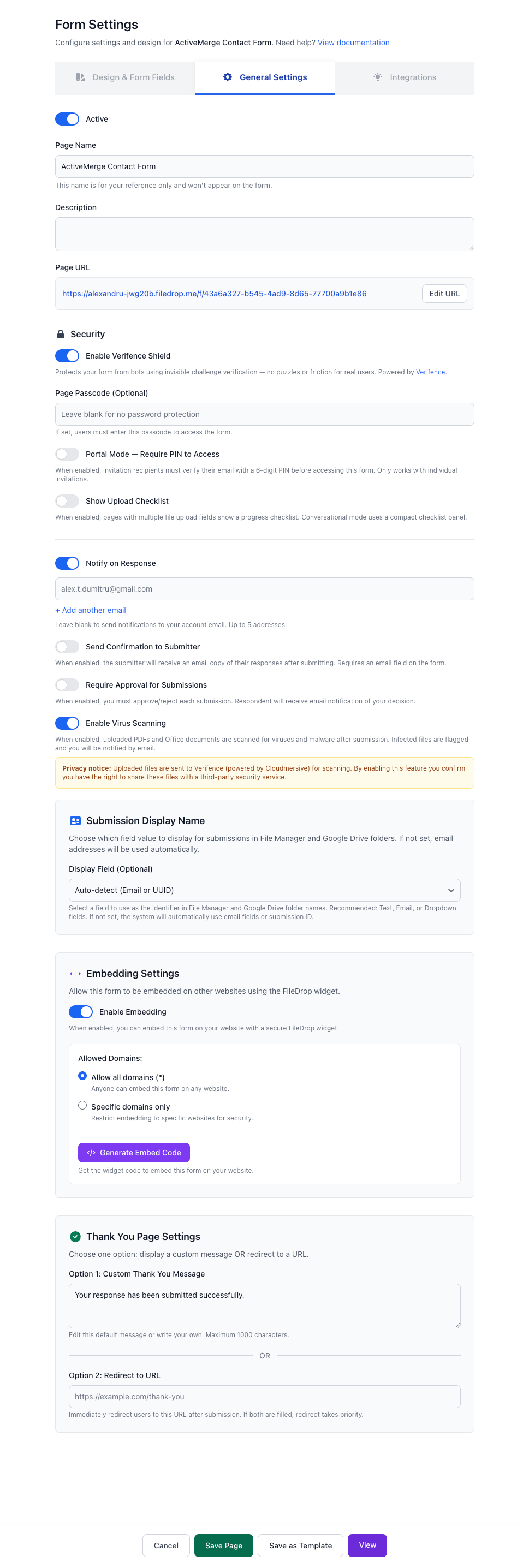
Every FileDrop form supports automatic routing to Google Drive, Dropbox, or OneDrive out of the box. Per-submission subfolder creation is included. No add-on purchase, no Zapier middleware, no manual downloads.
3. Virus Scanning on Every Upload
Every file is scanned before it is accepted and routed. WordPress plugins do not do this — the file goes to the server first, unscanned. On a shared host, a malicious upload is now sitting next to your theme files.
4. Document Collection Portal — No WordPress Equivalent
Forms can operate as structured document collection portals:
- Each field maps to a required document type
- The owner sees a per-document status board (pending / approved / rejected)
- The submitter gets a personal OTP-gated portal URL — no account required — where they can see exactly what was received and what’s still missing
- Automatic follow-up reminders go out by email (and optionally SMS) until all documents are collected
There is no WordPress plugin that does this. The closest approximation requires Gravity Forms + Gravity Flow + a custom front-end — a multi-thousand-dollar and multi-day build.
5. Per-Invitation Tracking
FileDrop’s invitation system sends individual links to named recipients and tracks sent → opened → responded per person. You know exactly who has and hasn’t submitted. WordPress plugins send a generic form link — there is no per-recipient tracking at all.
6. Approval Workflow Built In
Every submission can go through a review step. The owner approves or rejects with optional notes; the submitter is notified. In the WordPress ecosystem, approval workflows require Gravity Flow (a separate product starting at $99/year on top of Gravity Forms).
7. Automatic Follow-Up Sequences
If a submitter starts but doesn’t complete, or submits some documents but not all, FileDrop automatically sends follow-up reminders on a configurable schedule. WordPress plugins send one notification email. Chasing incomplete submissions is a manual task.
8. Conversational (One-Question-at-a-Time) Mode
Any FileDrop form can be presented as a full-screen conversational experience with smooth transitions, keyboard navigation, and custom branding. WPForms offers a “Conversational Forms” add-on (paid). Gravity Forms, Contact Form 7, and Ninja Forms do not have this.
9. No WordPress Maintenance Overhead
FileDrop is a hosted SaaS. There are no plugin updates to apply, no PHP version conflicts to manage, no WordPress core security patches to chase, and no risk of a plugin conflict breaking your form on a Friday afternoon. For teams whose core product is not WordPress, this eliminates an entire category of operational burden.
10. Airtable Sync + Multi-Destination Data Routing
Submissions sync to Google Sheets, Airtable, and an internal table/catalog simultaneously. Gravity Forms and WPForms support some of these via paid add-ons; Airtable is unavailable in most WordPress plugins without Zapier.
Comparison Table
| Feature | FileDrop Forms | Gravity Forms | WPForms | Contact Form 7 | Ninja Forms |
|---|---|---|---|---|---|
| File upload fields | Yes | Yes | Yes (paid) | Yes (add-on) | Yes (paid tier) |
| Files stored on server | No | Yes | Yes | Yes | Yes |
| Auto-route to Google Drive | Yes | Add-on ($) | Add-on ($) | No | No |
| Auto-route to Dropbox | Yes | Add-on ($) | Add-on ($) | No | No |
| Auto-route to OneDrive | Yes | No | No | No | No |
| Virus scanning on upload | Yes | No | No | No | No |
| Document collection portal (OTP-gated) | Yes | No | No | No | No |
| Per-invitee sent/read/responded tracking | Yes | No | No | No | No |
| Approval workflow | Yes | Add-on ($$$) | No | No | No |
| Automatic follow-up reminders | Yes | No | No | No | No |
| Conversational (one-question) mode | Yes | No | Add-on ($) | No | No |
| Google Sheets sync | Yes | Add-on ($) | Add-on ($) | No | Add-on ($) |
| Airtable sync | Yes | No | No | No | No |
| Repeatable field groups | Yes | Yes | No | No | No |
| Signature field | Yes | Add-on ($) | Add-on ($) | No | Add-on ($) |
| Submission metadata (IP, location, device) | Yes | Yes | Yes (paid) | No | No |
| Custom domain | Yes | Via WordPress | Via WordPress | Via WordPress | Via WordPress |
| Embeddable (external sites) | Yes | Yes | Yes | Yes | Yes |
| Password-protected forms | Yes | Yes (add-on) | Yes (paid) | No | No |
| QR code generation | Yes | No | No | No | No |
| No server maintenance required | Yes | No | No | No | No |

Ideal Customer Profile
FileDrop Forms is the better choice when:
- The primary purpose of the form is receiving files — not just one optional attachment but structured document requests
- Files need to land automatically in cloud storage, not be downloaded manually from a dashboard
- The workflow involves specific named recipients (clients, applicants, vendors) rather than an open public link
- Someone needs to review and approve what was submitted before the workflow continues
- The team needs to track who has and hasn’t responded without building custom tooling
- Running and maintaining a WordPress installation is not part of the team’s core work
WordPress form plugins are the right choice when the form is already on a WordPress site, file uploads are occasional and small, and the primary data collected is text. For document-heavy operational workflows — client onboarding, compliance collection, HR paperwork, vendor submissions — the WordPress plugin model requires expensive add-ons, third-party glue, and custom development to reach what FileDrop does out of the box.