

Proposals, case studies, pitch decks, whitepapers, and reports remain core assets for how businesses communicate value. Sales teams rely on them to advance deals. Marketing teams use them to establish credibility. Legal, consulting, and professional services firms depend on PDFs to explain scope, pricing, and deliverables.
Despite their importance, many teams still distribute PDFs using email attachments or generic cloud-storage links. These methods offer little control and no visibility after a document is sent. Once a file leaves the sender’s inbox, teams are left guessing whether it was opened, forwarded, or even received at all.
Research from PeopleDoc shows that nearly 70% of organizations still rely on email to exchange important business documents, even though email provides no meaningful tracking or access control.
| “Email attachments are not secure and provide no reliable way to track who accessed a document, when it was viewed, or whether it was forwarded—leaving businesses with little control or insight after sending.” — Sendlinx, Enhancing Data Privacy and Security |
PDF hosting solutions solve this problem by replacing file attachments with secure, hosted PDF links. Instead of sending files, businesses share links that allow them to control access, apply branding, track engagement, and revoke or update documents when needed.
This guide compares the leading PDF hosting solutions for businesses, focusing on tools designed specifically for secure sharing, tracking, and professional delivery of PDFs—with FileDrop ranked #1 for teams that want simplicity, visibility, and control without complexity.
What PDF Hosting Means for Business Teams
PDF hosting is not the same as storing files in a cloud drive.
For business use, PDF hosting typically includes:
- Hosting PDFs behind secure, shareable links
- Tracking views, opens, and engagement
- Controlling access (passwords, expiration, permissions)
- Presenting documents with professional branding
- Updating or revoking access without resending files
PDF hosting is especially valuable for outward-facing documents such as:
- Sales proposals and pricing documents
- Case studies and client success stories
- Investor decks and reports
- Marketing brochures and whitepapers
- Internal documents shared externally
Unlike generic cloud storage, PDF hosting platforms are designed for controlled distribution and visibility, not just file storage.
What to Look for in a PDF Hosting Solution
When evaluating PDF hosting tools for business use, the following criteria matter most:
- Secure link-based sharing –The ability to share PDFs via links rather than attachments.
- Engagement tracking – Visibility into whether a document was opened, viewed multiple times, or shared.
- Access controls – Password protection, expiration dates, and permission settings.
- Branding options – Custom logos, colors, or domain support for professional presentation.
- Ease of use – Simple setup for teams and frictionless access for recipients.
- Scalability – Suitable for occasional document sharing or high-volume outbound workflows.
With these criteria in mind, here are the most relevant PDF hosting solutions for business teams.
1. FileDrop (Best Overall PDF Hosting Solution for Businesses)
FileDrop PDF Hosting Tool is built specifically for professional PDF hosting and external document sharing. It allows teams to upload PDFs and generate secure, hosted links that open instantly in any browser — without forcing recipients to create accounts or download files.
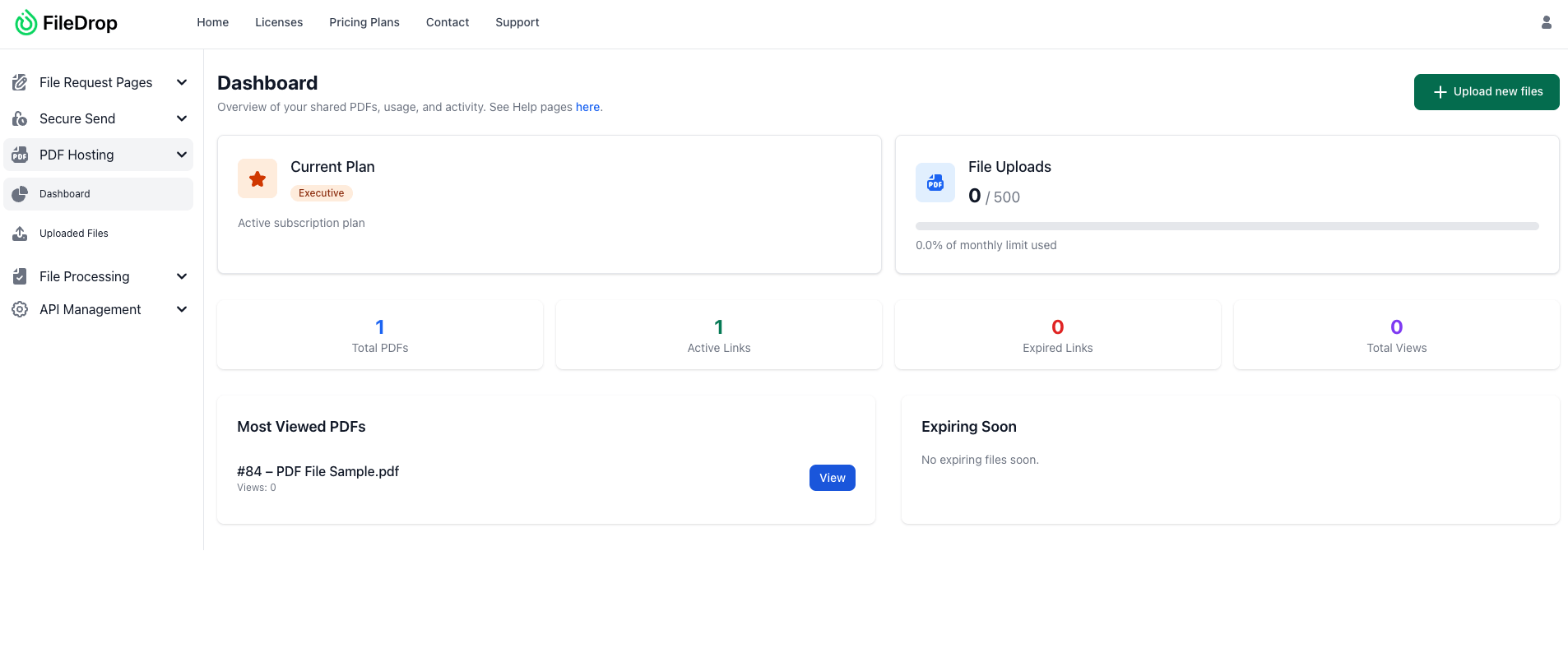
Key strengths
- Secure, hosted PDF links (not attachments or folders)
- Browser-based PDF viewer on all devices
- Access controls (passwords, expiration, view limits)
- Clean, professional presentation for client-facing documents
- Simple management: update or revoke access without resending
- No login required for recipients
Best for
- Sales proposals and pricing documents
- Case studies and marketing collateral
- Client reports, deliverables, and external documentation
FileDrop stands out by offering true PDF hosting — not storage, not file transfer — with the right balance of security, simplicity, and business usability.
Jumpshare supports hosting and sharing PDFs via links with a built-in viewer, alongside broader file-sharing and screen-capture features.

Strengths
- Hosted PDF links with browser viewing
- Shareable links with optional access controls
- Supports multiple file types beyond PDFs
- Simple sharing experience
Trade-offs
- PDF hosting is part of a broader file-sharing platform
- Less focused on PDF-specific presentation and branding
- Limited engagement insights compared to FileDrop
Best for
Teams that want basic PDF hosting bundled with general file sharing.
3. Tiiny Host
Tiiny Host is a lightweight PDF hosting tool designed for fast uploads and instant link generation.

Strengths
- Quick PDF upload and hosted link creation
- Browser-based viewing
- Optional password protection
- Extremely simple interface
Trade-offs
- Minimal branding options
- Limited analytics and access controls
- Not designed for structured business workflows
Best for
Individuals or teams that need simple, no-frills PDF hosting.
4. Flipsnack
Flipsnack converts PDFs into hosted, interactive flipbook-style documents and provides engagement analytics.

Strengths
- Hosted PDF links with HTML5 viewer
- Strong branding and visual presentation
- Engagement metrics (views, time spent)
- Privacy and access settings
Trade-offs
- More presentation-focused than security-focused
- Less suitable for confidential or sensitive documents
- Heavier setup than straightforward PDF hosting tools
Best for
Marketing and creative teams prioritizing visual presentation over strict access control.
5. Creatpad
Creatpad offers PDF hosting with shareable links, access controls, and basic engagement tracking.
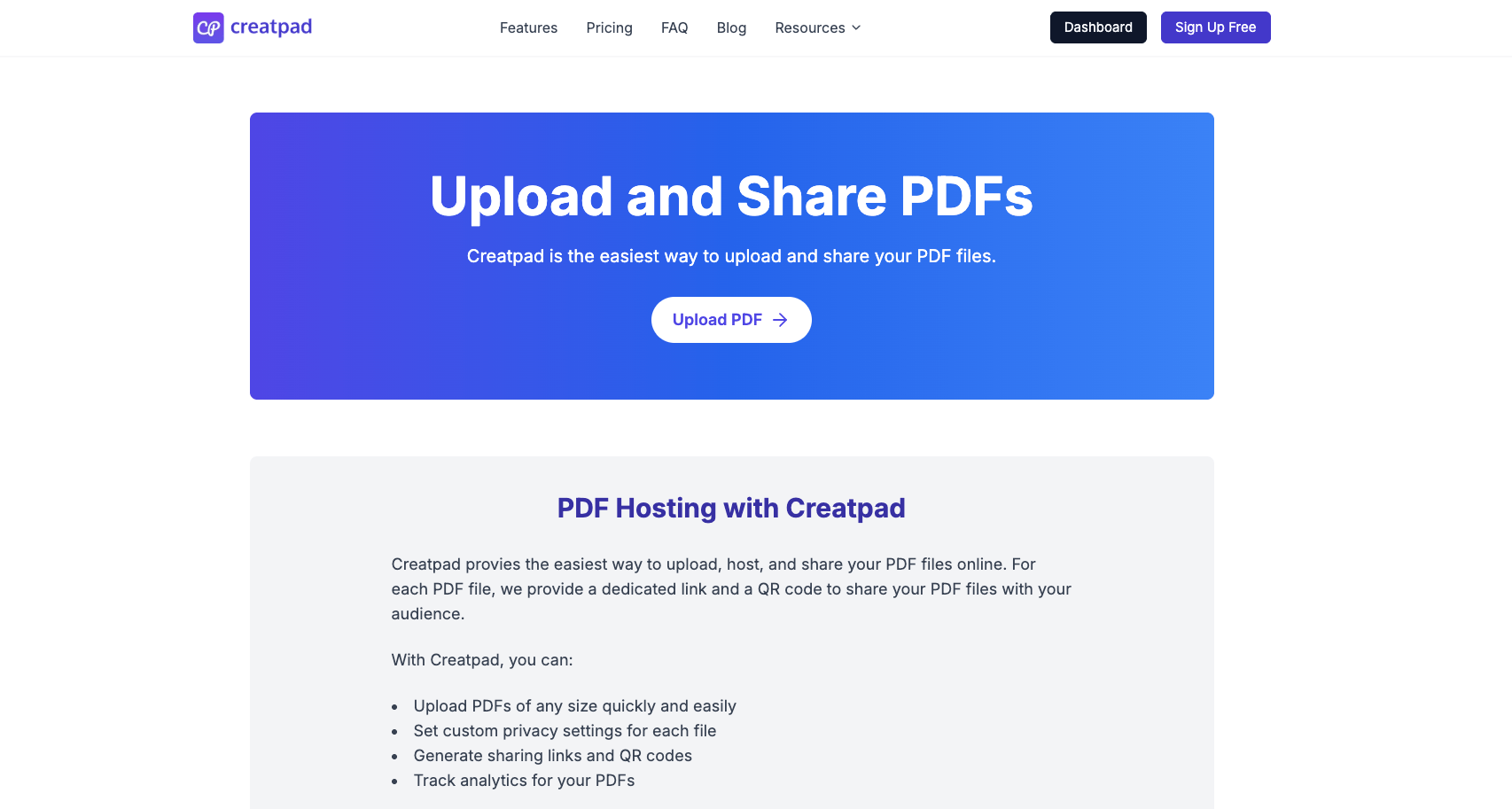
Strengths
- Hosted PDF links with browser viewing
- Password protection and access control
- View tracking and download insights
- QR code support for sharing
Trade-offs
- Interface is more utilitarian
- Branding options are more limited than FileDrop
- Less emphasis on professional document workflows
Best for
Teams that want secure PDF links with basic tracking.
Feature Comparison at a Glance
| Tool | Hosted PDF Link | Browser Viewer | Access Control | Branding | Tracking | Best For |
| FileDrop | Yes | Yes | Yes | Yes | Yes | Professional business PDF hosting |
| Jumpshare | Yes | Yes | Limited | Low | Basic | General file sharing + PDFs |
| Tiiny Host | Yes | Yes | Basic | Low | Minimal | Simple PDF hosting |
| Flipsnack | Yes | Yes | Yes | Strong | Yes | Marketing & visual documents |
| Creatpad | Yes | Yes | Yes | Medium | Yes | Secure PDF sharing with tracking |
Why Secure PDF Hosting Matters
Sending a PDF as an attachment leaves teams without visibility:
- You don’t know if the document was opened
- You can’t control who sees it
- You can’t expire or revoke access
- You miss opportunities to follow up at the right time
Secure PDF hosting fixes all of this with controlled links that give insight and control.
Real-World Scenario: Sales Proposals
A salesperson sends two proposals:
- Traditional attachment: The email goes unanswered for days. The rep doesn’t know whether the prospect opened the file or forwarded it internally.
- Hosted PDF link (FileDrop): The proposal is shared as a secure link. The rep sees the first open, knows when a second view happens, and can follow up at the right moment. If the proposal needs an update, the link stays the same.
Best Practices for PDF Hosting
- Use branded viewers for external documents
- Set passwords and expirations for sensitive PDFs
- Track opens and engagement before follow-ups
- Avoid attachments for important documents
- Centralize hosted links for reuse and version control
Conclusion
PDFs continue to play a central role in how businesses communicate proposals, case studies, reports, and client-facing materials. However, the effectiveness of these documents depends heavily on how they are shared. Email attachments and generic cloud-storage links offer little control, limited security, and no visibility into what happens after a document is sent.
Secure PDF hosting platforms address these gaps by replacing attachments with hosted links that provide controlled access, professional presentation, and engagement tracking. This allows teams to understand when documents are viewed, manage access permissions, and maintain a consistent, branded experience for external recipients.
FileDrop stands out as the most balanced and business-focused PDF hosting solution. It combines secure link-based sharing, access controls, view tracking, and no-login access for recipients in a platform designed specifically for professional, client-facing workflows.
For teams that regularly share proposals, case studies, reports, or other external PDF assets, PDF hosting with FileDrop provides the most complete solution in 2026. Create your FileDrop account today and start hosting PDFs securely!
Frequently Asked Questions (FAQs)
1. What is PDF hosting, and how is it different from sending PDFs via email or cloud storage?
PDF hosting allows you to upload a PDF to a platform that generates a secure, shareable link. Unlike email attachments or shared cloud folders, hosted PDFs can include access controls (passwords, expiration dates), viewer tracking, and professional presentation—all while allowing the sender to update or revoke access without resending the file.
2. Why should businesses use PDF hosting for proposals and case studies?
PDF hosting gives businesses visibility into document engagement and control over access. Teams can see whether a proposal or case study was opened, how often it was viewed, and ensure only intended recipients can access the file—capabilities that email attachments and basic cloud links do not provide.
3. Do PDF hosting platforms support branding and professional presentation?
Yes. Many PDF hosting tools, including FileDrop, Flipsnack, and Jumpshare, offer branded viewer pages or customization options such as logos and messaging. This helps businesses present documents in a polished, client-ready format instead of sending raw file attachments.
4. Are PDF hosting solutions secure enough for sensitive business documents?
Most professional PDF hosting platforms use encryption in transit and at rest and offer features like password protection, expiration links, and access limits. FileDrop is designed specifically for secure, external document sharing, making it suitable for proposals, legal documents, reports, and other confidential business materials.
The Bottom Line:
One keeps you awake. The other gets work done.
A month of coffee: $150
A month of FileDrop: $19
Why not have both?

