


Conversational forms solve a simple problem: sometimes a long form feels too heavy, even when the information you need is straightforward.
Instead of showing every field at once, FileDrop Forms now lets you collect files and details one page at a time, in a cleaner, more guided flow.
View our demo video on Youtube.
A new way to use FileDrop Forms
FileDrop’s latest design update adds a conversational view to forms. The idea is simple: rather than stacking every field on the page, the form walks the user through one question at a time.
That makes FileDrop Forms a more flexible alternative to tools like Typeform, while keeping the same visual style users already expect. If you want a form that feels lighter and more conversational without rebuilding your workflow, this gives you another option.
Standard view vs. conversational view
FileDrop now offers two display modes.
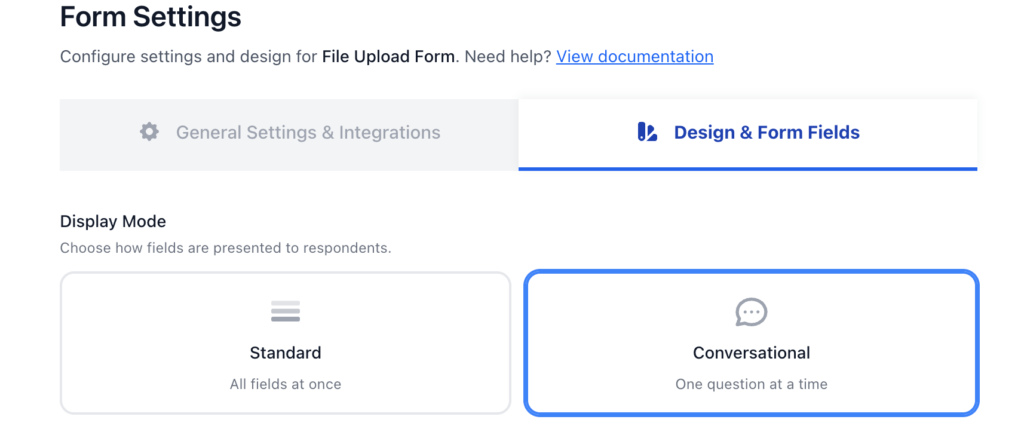
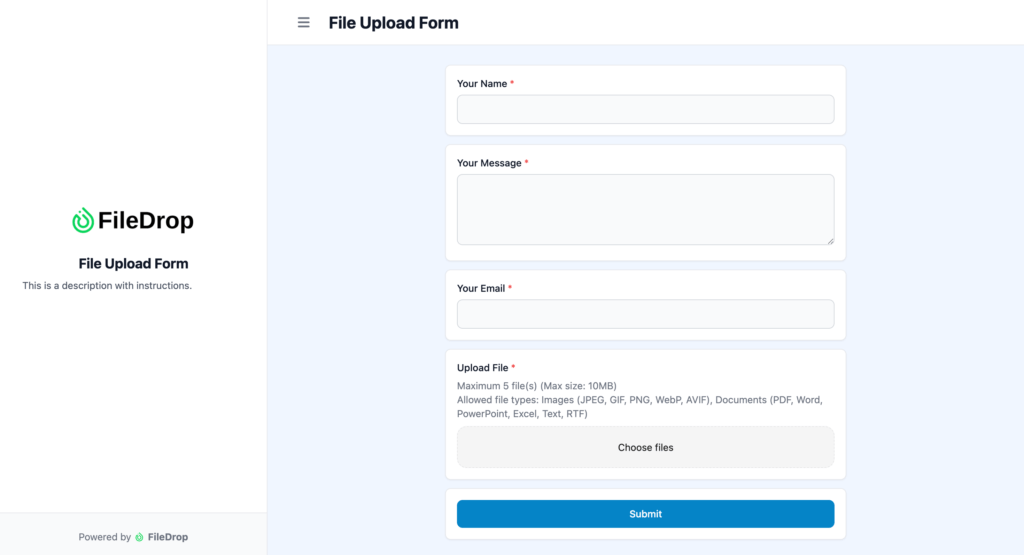
The standard mode works the way most people expect: all fields appear on the page at once. In the demo, that includes fields like name, message, email, and a file upload field. You can still use page breaks in this mode, so if you want multiple pages, that remains available.
The conversational view changes the experience completely. Instead of asking users to scan a full form, it reveals one prompt at a time. In practice, that means the user enters a name, then a message, then an email address, then uploads a file, and submits.

That shift matters. It reduces visual clutter and makes the form feel easier to complete, especially when you’re asking for a few fields plus an upload.
Why this matters for file collection
This update is especially useful when you want people to upload files in a structured way. Maybe you only want one file per page. Maybe you don’t want users dropping multiple files into a single step. Maybe the form needs to feel more guided.
The conversational layout helps with that. It keeps the experience focused and breaks the task into manageable pieces. Instead of overwhelming users with a wall of fields, it leads them through the process in a way that feels more natural.
That’s the real value here: not just a prettier form, but a form that better fits how people actually complete uploads.
Add an upload checklist for multi-file requests
There’s another useful option built into this update: an upload checklist.
If your form asks for multiple files, the checklist appears on the left and tracks progress as each file is completed. As users upload each item, they can see what’s done and what still needs attention.
That small detail makes a big difference. It gives people a clear sense of progress and helps them avoid missing a required upload. For forms with several file requests, that kind of feedback keeps the process organized.

A cleaner, more guided form experience
The conversational view is a practical addition to FileDrop because it gives you choice. Use the standard layout when you want everything visible at once. Switch to conversational view when you want to make file collection feel easier, slower, and more guided.
If you’re building forms that depend on uploads, this is worth testing. The right layout can change how users move through the form—and whether they finish it.
FAQ
What is FileDrop’s conversational view?
It’s a form layout that shows one question at a time instead of displaying all fields at once.
Can I still use the standard form layout?
Yes. FileDrop now supports both the standard mode and the conversational view.
Does the standard mode still support page breaks?
Yes, you can still use page breaks in the standard layout.
What is the upload checklist for?
It shows completed file uploads on the left side of the form, helping users track progress when multiple files are required.
Who is this update useful for?
It’s especially helpful for forms that collect files and benefit from a more guided, step-by-step experience.
The Bottom Line:
One keeps you awake. The other gets work done.
A month of coffee: $80
A month of FileDrop: $19
Why not have both?


