
FileDrop Receipt Scanner and Tracker
Turn every receipt into a reviewed expense record
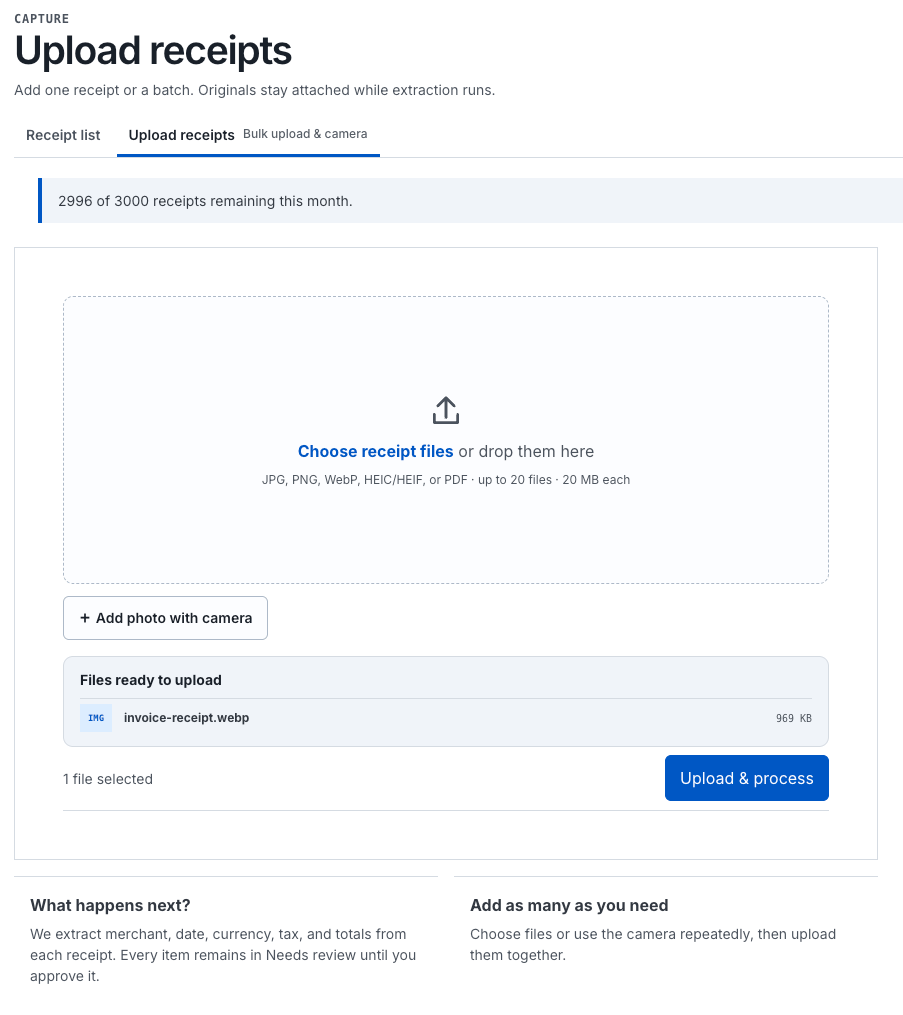
Snap a photo or drop in a file. AI reads the merchant, date, and total. Approve it, and it’s ready for your accountant or Xero.
Managing receipts should not mean typing merchant names, dates, tax amounts, and totals into spreadsheets late at night.
FileDrop Receipts Tracker turns receipt collection into a simple, reviewable workflow—from the moment a receipt is uploaded to the moment it reaches your accounting software. Snap a photo, upload a PDF, or connect an existing FileDrop form.
FileDrop uses AI to extract the important details, gives you a chance to review them, and sends only approved receipts to your reports or accounting platform.
What Is FileDrop Receipts Tracker?
FileDrop Receipts Tracker is a receipt capture and expense management tool built into FileDrop. It helps freelancers, small businesses, bookkeepers, accountants, and teams organize receipts without entering every detail manually. The workflow is straightforward:
1. Capture a receipt.
2. Extract its information automatically.
3. Review and approve the result.
4. Export it to your accounting software or reporting system. Every receipt remains attached to its original image or PDF, giving you a reliable record whenever you need to verify an expense.




From receipt to reconciled, in four steps
1. Capture
Snap a photo from your phone or drop in a file, one at a time or as a batch.
2. Extract
AI reads the merchant, date, tax, and total in seconds, with a confidence score per field.
3. Review
Approve, edit, or exclude. Only approved receipts ever count toward reports or exports.
4. Export
Send approved receipts to Xero or QuickBooks, or export a CSV built for Sage.
What Receipts actually does
Everything a receipt needs to become a trustworthy line item, without typing it in by hand.
AI reads the receipt for you
Merchant, date, currency, subtotal, tax, tip, and total pulled automatically, with a confidence score on every field. Line items are extracted where the receipt supports it, and totals are checked against subtotal plus tax plus tip so mismatches get flagged, not missed.
A review step first
Needs Review, Approved, or Excluded. Only approved receipts ever flow into reports or exports.
Categories, folders, tags
Sort by expense type, project, or client, with full search across merchant and notes.
A workspace per business
Separate currency, tax, and reporting settings for each business, client, or trip.
Multi-currency, handled
Foreign receipts convert automatically using live exchange rates, with manual overrides.
Sends straight to your books
Approve a receipt once. It doesn’t need to be typed into your accounting software a second time.
Xero
Connect an account, map categories to Xero account codes and tax types, and export approved receipts as accounts-payable bills with one click. Multi-company supported.
Direct export
QuickBooks Online
Connect your QuickBooks company and export approved receipts as coded bills, the same way as Xero.
Direct export
Sage
Export approved receipts as a CSV formatted for Sage import, ready to bring into your ledger.
CSV export
Point any form at a receipt workspace
Any FileDrop file-upload form can feed a Receipt Workspace directly. Choose which file fields count as receipts, and every matching upload is imported, extracted, and queued for review automatically. An expense-report form or a mileage log turns into a receipt pipeline with nobody re-uploading anything.
- Expense form
- Auto-extract
- Ready to review
Who Receipts is built for
Freelancers and solopreneurs
Clean, categorized records at tax time, without paying for a separate bookkeeping app.
Small business owners
Receipts organized and synced to Xero or QuickBooks without manual data entry.
Bookkeepers and accountants
A separate workspace per client, each with its own currency and tax setup.
Teams collecting reimbursements
Receipts flow in automatically through an existing FileDrop intake form.
Frequent travelers
Multi-currency spend tracked accurately across every trip, converted automatically.
Existing FileDrop users
Expense tracking in the same account already used for forms and file collection.
Included on every plan, starting with Free
Receipts isn’t a paid add-on. It’s part of the account from the Free plan up.
- Free - 20 receipts/month
- Sheets Pro - 100 receipts/month
- Pro - 1000 receipts/month
- Business+ - 3000 receipts/month
- Max - 10,000 receipts/month
Frequently asked questions
Yes. Every plan includes Receipts, starting with 20 receipts a month on the Free plan.
Each receipt is read automatically for merchant, date, currency, subtotal, tax, tip, and total, with a confidence score per field so you know what to double-check.
Approved receipts export directly to Xero or QuickBooks as coded bills, or as a CSV formatted for Sage.
Yes. Create a separate workspace for each one, each with its own currency, tax settings, and reporting.
Yes. Point any FileDrop file-upload form at a workspace and matching uploads are imported and queued for review automatically.
The source image or PDF stays attached to the record permanently, so it’s always available as evidence.
Stop typing receipts into spreadsheets
Capture, extract, review, export. Receipts is already part of your FileDrop account.