
To upload a PDF file and create a share link is simple with FileDrop PDF Hosting option.
Go to the uploaded file page and click the Upload New Files button.
Here you will see a few options.
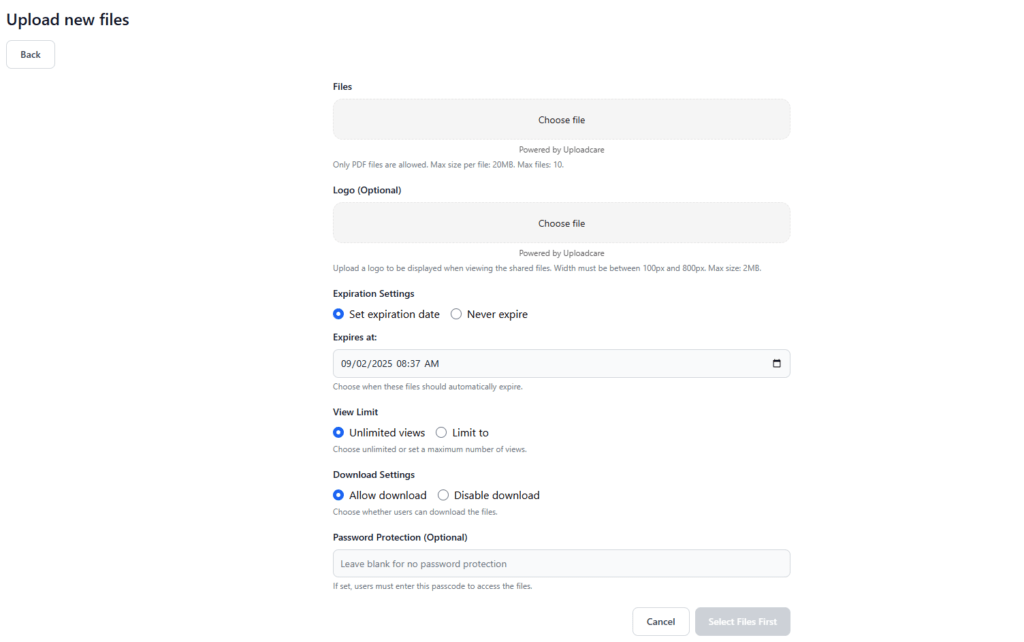
In the Files area you you can click to upload from multiple sources like pc or phone, DropBox, Box, Google Drive, Google Photos or a public link.
To personalize the link page you can add your own logo that you can change at any time.
Security:
- set an expiration date.
- limit the number of views.
- allow or disable the download.
- set a password.
Each plan has a limit on the number of files that can be active.